michel.recondo


title: Back to BSD! date: 2026-02-22 12:48:00 -0300 tags: bsd, freebsd, self-hosting, snac slug: back-to-bsd description: Going back to self hosting image: https://images.unsplash.com/photo-1687300172792-68a13c4e149a?crop=entropy&cs=tinysrgb&fit=max&fm=jpg&ixid=M3w3NTU3ODl8MHwxfHNlYXJjaHw2fHxzZXJ2ZXIlMjByYWNrfGVufDB8MHx8fDE3NzE3NjU1ODh8MA&ixlib=rb-4.1.0&q=80&w=1080 image_caption: Photo by Ivan N on Unsplash


Well, now that my Master's is over and the PhD is not so easy to get in, let's find something useful to do :)

Since I'm still planning to study, my main computer is still my laptop which, unfortunately, won't run any BSD without some struggle. As it is my work equipment as well, I can't afford to keep messing with it for now. So, to feed my BSD crave, I went back to a VPS to host this site and its snac instance, keeping my hands dirty and my mind sharper.

The choice this time was FreeBSD for one main reason: jails. Jails, and specially BastilleBSD, are among the best features in a server operating system. Way better than containers—that's why I won't bother to look into podman worikng on FreeBSD—because they are simpler, smaller, easy to work with and to move around.

My current setup is fairly simple: one NGINX on the “host” serving as a proxy server and two jails: one for this site and one for snac. In the future, maybe I'll add one for WordPress (or more likely ClassicPress) to host my wife's site.

The configuration is simple: each jail hosts a basic Nginx server exposing a local port to the Bastille network and the 'root' Nginx handles the proxy_pass to those jails and manages the SSL certificates with certbot. The snac jail also requires the snac service to be running, but it's very easy to setup and maintain. With everything in place, it's just to a matter to keep an eye on the services and enjoying the stability that the BSD family provides.

OBS: I went from Hetzner to OVH and now I'm going back to Hetzner because OVH increased my VPS price by more than 60%. Thanks AGI ¬¬

title: About reading and books date: 2026-02-08 21:46:00 -0300 tags: books, e-books, reading slug: about-reading-and-books description: Books vs e-books image: https://images.unsplash.com/photo-1457369804613-52c61a468e7d?crop=entropy&cs=tinysrgb&fit=max&fm=jpg&ixid=M3w3NTU3ODl8MHwxfHNlYXJjaHwxfHxib29rfGVufDB8MHx8fDE3NzA1OTgwNzV8MA&ixlib=rb-4.1.0&q=80&w=1080 image_caption: Photo by Patrick Tomasso on Unsplash


Inspired by a post from R.L. Dane, Paper Books vs. e-books vs “librebooks?”, I decided to write something about my relationship with the act of reading.

I have been a reader from a very early age, thanks to my mother (RIP) who, despite having little formal education, was always an avid reader. Because of her, I was captivated by the pleasures of books. It was an easy transition, as I was a not-so-social kid who spent my school recesses in the library, reading anything I found interesting.

I always had physical books, but when my commute to work took more than an hour and carrying a heavy book was not an option anymore, I decided to buy an e-reader to help me pass the time. It was nice and I could read the entire A Song of Ice and Fire, The Last Kingdom, and the Expanse series with ease. Especially with the Expanse series, it was helpful to have an e-reader because only the first book was available in physical books at the time.

The problems

Despite the convenience, two major issues started to cloud my digital reading experience. The first is a technical hurdle: the PDF struggle. While e-readers handle EPUBs and proprietary formats with ease, they often stumble when it comes to PDFs. Since most academic papers and technical documents are formatted for fixed A4 or Letter pages, reading them on a small e-ink screen is a frustrating exercise of constant zooming and panning. When I found a new e-reader that was supposed to handle PDFs as “normal” text, I went for it, only to find that most of the PDFs are so poorly formatted that the text was a nightmare to read. The solution? I bought a tablet. It was the easy way to carry all those PDFs around and be able to read them. The e-readers? The first one, donated. The other, it's in one of my drawers :)

The second problem is more psychological: the “digital pile” syndrome. Physical books have a way of demanding our attention; they take up space on the shelf, acting as a visual reminder of what we intend to learn. Digital books, however, are invisible. Because they take up no physical space, it is dangerously easy to accumulate hundreds of titles during sales or through “librebook” bundles, only for them to sit forgotten in a folder. At of now, I really don't know how many digital books I own. Is the digital age at fault? Of course not, but it is still a burden to resolve.

And now? Now I keep all my papers in PDF (Zotero FTW) and, when possible, I buy physical books, even and especially the technical ones. I can read them in bed, I can look for a solution right away, I can reference them in my research and they are always there for me.


title: New /uses date: 2025-11-24 20:19:35 -0300 lastmod: 2025-11-24 23:42:22 -0300 tags: uses, software, choices slug: new-uses image: choices.gif imagecaption: description: Why change authorname: author_email:


Today I decided to finally update my /uses page. Since so many things changed I thought it would be interesting to review them, mostly because all changes were motivated by one reason or another.

Browser: Firefox –> Librewolf –> Firefox –> Waterfox. Firefox is out for obvious reasons. Librewolf decided to reset my profile every time I exited the app so, fortunately, I rediscovered Waterfox.

Email: Google for your domainTM –> Zoho –> Proton –> Fastmail –> Proton. Went back to Proton because Fastmail did something naughty: fastmail tracking

Password Manager: Bitwarden –> pass –> KeePass –> Proton Pass. Pass and KeePass were a pain to keep synced across my devices. Since I'm using Proton, let's use their password manager as well.

The thing is, change is expected, especially in tech, so let's always find what works best for the job, after all, nothing is permanent.


title: Moving from OpenBSD date: 2025-04-24 14:10:06 -0300 lastmod: 2025-04-24 14:42:48 -0300 tags: openbsd, vps, netlify, self hosting slug: moving-from-openbsd image: imtired.jpg imagecaption: i'm tired, boss description:


I'm moving from OpenBSD to Netlify. Why?

Simple answer: I'm too busy to think about the means and ends of an full OS installation just to serve a basic static blog/site. I'm a student now and I need to tend for my job and family besides my masters course witch, by itself, is very demanding.

Why can't I keep my site running as usual if it's a simple task? Convenience and I can save a few bucks in the process :)

Finally, why Netlify? Because it's free, easy to setup and deploy. I already used them when oracle messed up with my server and it was easy to come back. If I find some solution that suits me better, I'll happily change.

The thing is that now I'm happy with the services that I used to host witch I found good solutions out there (I'm looking at you, bsd.cafe) and I'm satisfied to be an user again ;).


title: One week with BSSG date: 2025-04-22 10:39:48 -0300 lastmod: 2025-04-22 11:23:03 -0300 tags: bssg, self hosting, slug: one-week-with-bssg image: image_caption: description:


After a week that I published my site made with BSSG, here are my impressions:

Workflow

I'm loving this workflow. It's simple, concise, fast and helps me on focusing in creating and writing than setting things up.

The commands covers all user cases and are very well documented. There's almost no need to use the site to get things running.

Theming

Coming from wordpress and then hugo, the theming options for BSSG are like a breath of fresh air. The themes are just CSS files. That's it. Simple and efficient. If you want something very specific, you can use a custom.css file (just set it on the config file) and you are done.

Wordpress? Download, activate and pray for it not to break your site.

Hugo? Download (or git submodule clone), set it on the config and watch while everything have to be reconfigured to accommodate the new theme.

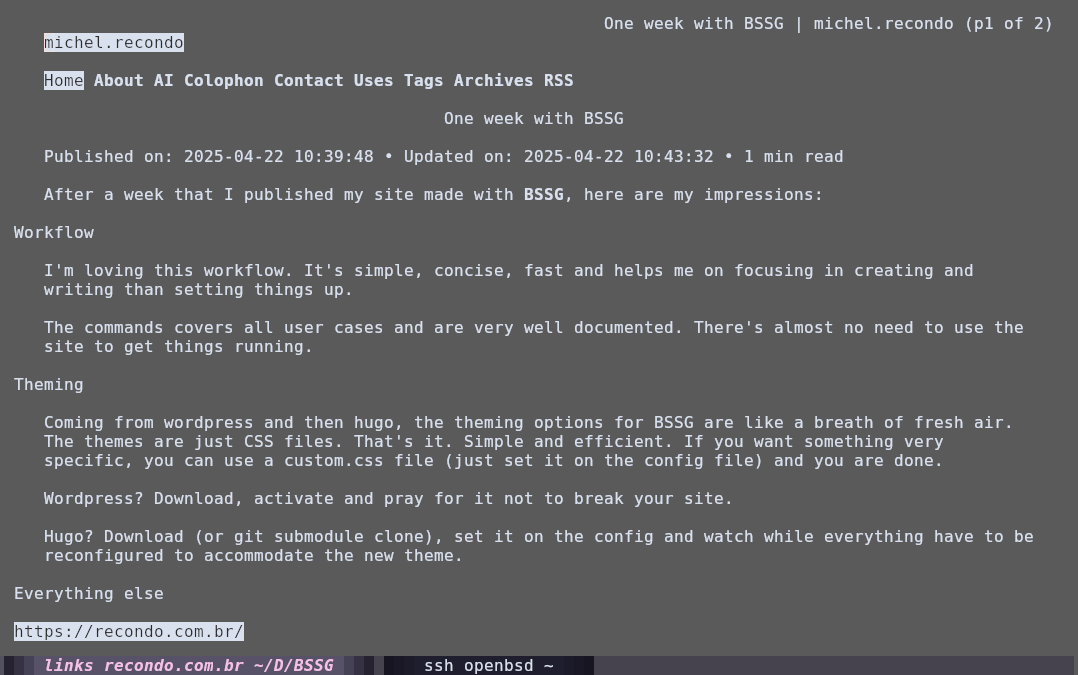
EDIT: It appears beautiful on text browsing :)

beautiful on links

Everything else

Another thing that I liked about BSSG is that it automatically generates a main menu, with sub pages if you want (I didn't tested it yet) and the RSS and tags files. Why I'm pointing this? Because I'm recalling my experience with hugo, which has very specific setting for the most basic stuff.

Final thoughts

I recommend it? Absolutely. It's for everybody? Probably. Just give it a try ;)


title: New site generator date: 2025-04-14 13:15:40 -0300 lastmod: 2025-04-22 11:09:52 -0300 tags: ssg, bssg slug: new-site-generator image: image_caption: description:


When Stefano announced his own static site generator, the BSSG, I couldn't let it pass and went to give it a try and start to plan my site's migration, from hugo to BSSG.

First impressions: it's awesome! Simple but complete. It comes with all available themes in the package and it even comes with a tool to generate a page to sample all of them!

What I like: it's not something new but I find the commands to create and edit content very useful. I'm used to open a vim session and work from there but the ability to enter ./bsgg.sh edit <filename> or ./bssg.sh post and it simply asks for the title and opens the default editor. Simple. And when you save and close your file, it rebuilds itself to update your content.

What I want (not need): the admin interface. Not for me, since I was born in the command line, but for the common folk that I want to convert to the simple world of static sites.

So far, it's one of the best tools that I came across :)

OBS. One issue that I found is that when using pandoc to render the pages, the standard list format is not rendered in the HTML. It works with commonmark.